


Phone Tracker By Number in US
4.44.39K Reviews
App Specs
- Version
- 5.5
- Updated On
- License
- Free
- Downloads
- 5,000,000+
- Developer
- Awesome Game Studio
- Categories
- Parenting
- Platform
- Android, iOS
Screenshots

 Analysis by AppCompare
Choosing a phone-location app can feel more complicated than it needs to be, especially if you have never set one up before. I’d approach Phone Tracker By Number as a family coordination tool, not a way to secretly locate someone or a guaranteed solution for every missing-device situation. The useful first goal is modest: get a consenting person connected, then learn what the app can show you before you rely on it in a stressful moment.
What to expect before you begin
This is a free parenting app from Awesome Game Studio, built around locating phones and helping family members stay in touch about where they are. Its name can suggest that typing in any number will reveal a location, but that is not a sensible expectation for a responsible tracking app. A person being located should know about the arrangement and agree to it; location sharing works best as a shared family choice rather than a surprise check.
The app has an average rating of 4.5 from around 124,000 ratings, and it has passed five million installs. That level of use makes it a familiar option to consider, though popularity alone does not tell me whether it fits a particular family. I would focus instead on whether everyone involved is comfortable sharing their location and whether the app’s approach suits the way your household communicates.
It is rated for Everyone, costs nothing to download, and the current version is 5.5. The minimum operating-system requirement is 7.0, so it is worth checking that the phone you plan to use can run it before organizing a family setup. The developer is Awesome Game Studio. For a first-time user, the main benefit is a focused starting point: the app is meant to help with phone location, rather than replace every family communication tool.
Make the first setup a shared decision
Before installing anything, explain what you want to use the location information for. A parent might want to know that a child has arrived at a regular destination, while adult family members may simply want a convenient way to coordinate a pickup. Those are different arrangements, so agree on who will be connected and when checking a location is appropriate. That conversation makes the app more useful and helps avoid the feeling that tracking is being used as a substitute for trust.
Once the people involved are on board, install the app on the relevant phone and follow its on-screen setup. The original flow is described as entering the number of the person to be connected and sending a permission request. Treat that request as a real choice: the other person should understand why it arrived and accept it knowingly. If they do not want to share, do not keep trying to work around that decision; a call or message is the better next step.
For a smoother first attempt, do the setup while both people are available to talk. That way, you can confirm that the request was expected and that each person understands which phone is involved. It is also a practical moment to agree on a simple routine, such as checking only when someone is late or needs a pickup. A little clarity at the start is more helpful than repeatedly opening a map without knowing what the family has agreed to.
Worth Reading Before You Choose

Flipboard Shows What News Apps Must Do Beyond the Feed

Switching to Android Auto Means Rethinking Your Driving Routine

Google Calendar Makes a Crowded Week Easier to Manage

Ludo King Makes the Most of the Minutes Between Plans

Baby Panda World Brings Quick Play to Modern Phones, but Its Game Library Feels Busy

ESPN’s Live Game View Makes Following Close Games Easier
Finding Your Device Made Easy
First things first, Phone Tracker By Number is all about simplicity. The app's interface is clean and straightforward. Once you fire it up, you get immediate access to the location tracking feature. I was pleasantly surprised by how user-friendly it is. No need to jump through hoops or decipher complex instructions. Just install, set it up, and you're good to go.
What really blew my mind was its accuracy. You can track a phone’s location in real time, and it’s surprisingly precise. Whether your phone is hiding under a pile of laundry or you’re trying to keep tabs on a family member, this app has got you covered.
Getting to a first useful result
For a first meaningful test, I would not wait until someone is already lost or late. Ask a consenting family member to complete the request while you are both at home, then check whether the app shows the connected phone as expected. This gives you a calm baseline and a chance to learn where the location view is, rather than trying to understand it during a rushed school pickup or an anxious search.
A realistic use case is a parent coordinating the trip home after an activity. If the child and parent have already agreed to share location, the parent can check the app when the usual arrival time passes, then decide whether a direct call is needed. The app can make that check less disruptive than sending repeated “where are you?” messages, but it should not replace an ordinary conversation when the location looks confusing or the person needs help.
Another practical use is finding your own misplaced phone, provided it has already been connected in a way the app supports. A family member can help check its location instead of everyone searching the same rooms. Still, location is a clue, not a guarantee that a device is exactly where the marker appears. A phone may be inside a building, in a bag, or somewhere nearby that is not obvious from a map. If the location does not settle the question, retrace your steps and call the device or ask someone nearby to help.
Privacy and Security
I know, I know, privacy is a big deal these days. The good news? This app takes it seriously. It doesn’t share your location data with third parties, so you can breathe easy knowing your info is safe. You do need consent from the person whose phone you want to track, which I think is fair play.
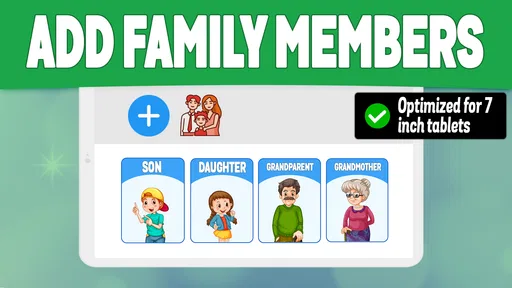
Another cool feature is the ability to track multiple devices. Perfect for families who want to stay connected or just keep an eye on each other’s whereabouts without constantly texting "where are you?"
That multi-device approach can be useful in a household, but it also makes expectations more important. Decide who actually needs access and avoid turning location checks into a habit of monitoring every movement. A shared view may help with a specific plan—such as coordinating who is picking someone up—but it is less appropriate when a person has not agreed to ongoing sharing or when a quick call would answer the question more clearly.
When the location does not look right
New users often assume that a location marker is a live, exact picture of what someone is doing. I would resist that assumption. A map can help you orient yourself, but it cannot explain why a person stopped somewhere, whether they are safe, or what is happening inside a building. If the display seems unexpected, first ask the person directly and give them a chance to explain. Do not treat an unfamiliar point as proof of wrongdoing or an emergency by itself.
It is also worth distinguishing phone tracking from a full safety plan. If someone is in immediate danger, contact the appropriate emergency services or a trusted person who can reach them; do not wait for an app to resolve the situation. For everyday coordination, a location check can be convenient. For urgent decisions, direct communication and real-world help matter more.
Compared with simply calling or texting, a tracker can save a few messages when everyone has already opted in and the question is just “are you close?” Compared with a phone’s built-in device-finding tool, this app is more naturally framed around family members and shared location, while a device-finding service may be the more direct choice when you are trying to recover your own lost phone. I would choose the simplest tool that matches the problem instead of expecting one app to cover every situation.
Setting It Up
Setting up Phone Tracker By Number is a breeze. After downloading, you just need to enter the phone number you want to track, and the app sends a request for permission. Once accepted, you’re all set. The setup process was seamless and didn't require any tech wizardry.
My tip is to check the connection before relying on it for a routine. Have the other person accept the request, then make sure you can find the connected phone from your own app view. If something does not work, pause and read the prompts carefully rather than repeatedly entering numbers or sending requests. That small check helps separate a setup issue from an ordinary delay in getting a reply.
One trade-off to keep in mind is that a phone tracker depends on the participating person and device being part of the arrangement. It is not a shortcut for locating a stranger, and it is not the right answer when someone declines to share. If your household only needs occasional coordination, a family group chat and a phone call may be enough; if you need a dedicated way to check agreed locations, a tracker may feel more convenient.
Now, while the app is free, there are some in-app purchases. So if you’re keen on unlocking all features, you might have to shell out a few bucks. But honestly, the free version itself offers quite a bit, making it a great starting point.
Because the download is free, I would begin with the basic experience and decide whether it solves a real problem before considering any paid option. Avoid buying anything simply because you are setting up in a hurry. First confirm that the people you want to connect can use the app comfortably and that its normal location-sharing workflow fits your family. A paid extra is only worthwhile if you understand what it adds and genuinely need it.
Who will get the most from it
I can see this being most useful for families who already talk openly about location sharing and have recurring coordination needs: getting home from an activity, meeting at a busy place, or checking that a planned pickup is on track. It may also suit a family that wants one shared routine instead of a stream of status texts. The key is that everyone understands the purpose and has a way to say when they do not want to be tracked.
I would skip it if you want invisible monitoring, if the person you want to locate has not agreed, or if your only concern is recovering a phone that has never been connected to a family member. I would also avoid making it the sole safety measure for a child or dependent. A phone can be switched off, left behind, or simply not provide the reassurance you need at a particular moment. Keep contact details and a sensible pickup plan in place as well.
As a parenting app, it is best judged by whether it reduces friction without creating new tension. A location tool can reassure a parent, but frequent checking can make a teenager feel watched even when the original intention was practical. Agree on a narrow purpose—such as checking during a commute—and revisit that agreement as circumstances change. That is a more respectful and sustainable use than leaving the app’s purpose vague.
Wrapping It Up
So, is Phone Tracker By Number worth it? I'd say absolutely. It's a handy tool for anyone who’s a bit forgetful or wants to keep track of loved ones. The app’s ease of use and reliability make it a standout choice in the sea of tracking apps out there.
My recommendation comes with a clear condition: use it for consent-based family coordination, not as a substitute for trust, communication, or a purpose-built lost-device recovery option. Its simple setup makes it approachable for a first-time user, while the option to connect more than one device can suit a household. I would start with one agreed use case, try it together, and keep the arrangement only if everyone finds it helpful.
With an average rating of 4.5 from around 124,000 ratings, it has attracted plenty of attention, but I would still judge it by your own first setup rather than popularity alone. The most reassuring first success is not a dramatic rescue; it is seeing the connected phone appear when both people expect it to. From there, you can decide whether the app earns a place in your family’s everyday routine.
Whether you're looking to avoid those mini heart attacks from losing your phone or just want some peace of mind about your family's whereabouts, this app has you covered. Just remember to respect privacy and use it responsibly!
Pros
- Accurate real-time location tracking.
- User-friendly interface for easy navigation.
- Supports multiple devices simultaneously.
- Minimal battery consumption during use.
- Provides location history for reference.
Cons
- Requires internet for accurate tracking.
- Limited features without premium version.
- Privacy concerns with constant tracking.
- Can drain data if used excessively.
- Occasional GPS signal issues in remote areas.
FAQs for Phone Tracker By Number in US
How accurate is Phone Tracker By Number in providing location details?
Phone Tracker By Number is designed to provide precise location details using GPS technology. However, the accuracy can vary depending on factors such as network connectivity, the device's GPS settings, and geographical obstacles. Users often find the location data to be reliable within a few meters, but slight variations can occur.
Is Phone Tracker By Number compatible with both Android and iOS devices?
Yes, Phone Tracker By Number is compatible with both Android and iOS platforms. It is available for download on the Google Play Store and the Apple App Store. Ensure your device meets the app's system requirements for optimal performance and to access all features without any issues.
Does Phone Tracker By Number require an internet connection to work?
While Phone Tracker By Number primarily uses GPS for tracking, it does require an internet connection to share location details in real-time. An active internet connection ensures that location data can be sent and received promptly, enabling efficient communication between devices.
How is user privacy maintained when using Phone Tracker By Number?
User privacy is a priority for Phone Tracker By Number. The app requires user consent to share location data and provides options to control who can view your location. All data is encrypted to prevent unauthorized access, ensuring that your information remains secure and private.
Are there any additional costs or in-app purchases in Phone Tracker By Number?
Phone Tracker By Number offers a free version with basic features. However, to access premium features such as ad-free usage and enhanced tracking options, users may need to subscribe to a paid plan. It's advisable to review the pricing details and subscription terms within the app.


